2011

JanFebMarApr
MayJunJulAug
SepOctNovDec

2010

JanFebMarApr
MayJunJulAug
SepOctNovDec

more...

2009

JanFebMarApr
MayJunJulAug
SepOctNovDec

2008

JanFebMarApr
MayJunJulAug
SepOctNovDec

2007

JanFebMarApr
MayJunJulAug
SepOctNovDec

2006

JanFebMarApr
MayJunJulAug
SepOctNovDec

2005

JanFebMarApr
MayJunJulAug
SepOctNovDec

2004

JanFebMarApr
MayJunJulAug
SepOctNovDec

2003

JanFebMarApr
MayJunJulAug
SepOctNovDec

Photolog

Through the Looking-Glass
2010-10-12: Through the Looking-Glass
My radio speaks is binary!
2010-10-10: My radio speaks is binary!
Gigaminx: (present for my birthday)
2010-09-16: Gigaminx: (present for my birthday)
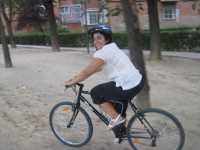
Trini on bike
2010-09-05: Trini on bike
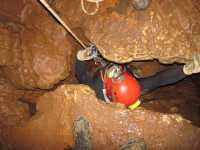
Valporquero
2010-08-28: Valporquero
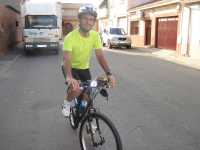
My new bike!
2010-08-22: My new bike!
Mario and Ana's wedding
2010-08-13: Mario and Ana's wedding
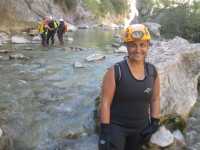
Canyoning in Guara
2010-08-07: Canyoning in Guara
Trini and Mari in Marbella
2010-08-05: Trini and Mari in Marbella
Trini and Chelo in Tabarca
2010-08-03: Trini and Chelo in Tabarca
Valid XHTML 1.1
Acceder
Blog improvements Jul 27, 2011
Labels: blog
Today I made a few improvements in the blog:
  • Added a "blog cloud" widget
  • Permalink pages (pages with just one entry) have its blog title as HTML title
  • Permalink URLs contain part of its title
  • Added a calendar widget, so that we can see older entries
Something about RAE... Jul 14, 2011
Labels: funny

Sorry, but this entry in my blog is only available in Spanish.

It is mostly a joke about some new entries in Spain's official dictionary, and its translation is almost impossible.

Let's say you have a venti server and you would like to mirror its contents to another one. How to do it?

First, you will need to have another venti configured. Please look at the venti(8) manual page to know how to do it, or see my post on how to set up a venti server. Please note that, if you want to run both servers at the same time, and if they are in the same machine, they must listen to different port numbers.

There are several ways to copy the contents of a venti server into another:

  • venti-copy

    With venti-copy you can copy an entire tree of blocks from one venti server to another. Both servers must be running in order to copy the blocks.

    If you have the list of scores all the trees in the file scores.txt, you could use the following command to start copying:

    cat scores.txt | while read score ; do venti-copy $venti1 $venti2 $a ; done

    Advantages: you don't need to stop either server; arena partitions in each server can have different geometry

    Disadvantages: it is very slow, and you need to know a priori the list of VtRoot scores you want to copy.

  • venti-mirrorarenas

    This command can be used to copy every arena from one arena partition to another. Both servers should be stopped.

    Advantages: it is very fast, and there are several tests to check that the arena geometries are the same.

    Disadvantages: it only works if source and destination have exactly the same number of arenas of the same size; after finishing the copy, you must use venti-buildarenas in the destination server.

  • venti-rdarena and venti-wrarena

    venti-rdarena reads one arena from a venti server and writes it to standard output; venti-wrarena writes an arena from a file to a venti server.

    In order to mirror one venti server, you could read all its arenas with venti-rdarena, one by one, and then write them to another server with venti-wrarena. Both servers should be stopped.

    Advantages: it works even if source and destination have different number of arenas; it is faster than venti-copy.

    Disadvantages: it only works if source and destination have arenas of the same size; it is very slow if your venti servers have a lot of arenas (each invocation of these executables read all the arena map); after finishing the copy, you must use venti-buildarenas in the destination server.

  • Copy all the arenas by hand

    If you figure out the position in the arena partition of each arena, and its size, you can yust copy the arenas with dd. Both servers should be stopped.

    For example, if you formatted the arena partitions with the default arenasize and blocksize, then the arenas will have 512MB (536870912 bytes), and will be located in the position 794624 + 536870912*n. So, you could use the following loop to copy arenas $start to $end, from file $orig to $dest:

    for i in $( seq $start $end )
    do
      echo "Copying arena $i from $start to $end..."
      skip=$(( 97 + $i * 65536 ))
      dd if="$orig" bs=8192 skip=$skip count=65536 seek=$skip of="$dest"
    done

    Advantages: it is very fast.

    Disadvantages: it only works if source and destination have arenas of the same size; you have to make sure that the arenas are located exactly where you are reading and writting them; after finishing the copy, you must use venti-buildarenas in the destination server.

Labels: work hardware RAID

In our company, we have a Back-up solution which stores all the information in a set of disks, configured in a RAID5 array, and served by a Coraid SR1521 server.

Everything has always worked fine... until today. One of the disks in the RAID5 array failed, so the system decided to replace it with a spare one, and begun recovering. But, apparently, another one failed too while the recovery was taking place:

SR shelf 1> list -l
 1 6001.229GB online
  1.0   6001.229GB raid5 failed
    1.0.0  normal   1000.205GB 1.0
    1.0.1  failed   1000.205GB 1.2
    1.0.2  normal   1000.205GB 1.4
    1.0.3  normal   1000.205GB 1.6
    1.0.4  replaced 1000.205GB 1.14
    1.0.5  normal   1000.205GB 1.10
    1.0.6  normal   1000.205GB 1.12

So, we had a RAID5 array without two of their disks, and the array stopped working. Let's try to recover it... first, I'll bring the disk offline, so it cannot be accessed from the outside:

SR shelf 1> offline 1
SR shelf 1> list -l
 1 6001.229GB offline
  1.0   6001.229GB raid5 failed
    1.0.0  normal   1000.205GB 1.0
    1.0.1  failed   1000.205GB 1.2
    1.0.2  normal   1000.205GB 1.4
    1.0.3  normal   1000.205GB 1.6
    1.0.4  replaced 1000.205GB 1.14
    1.0.5  normal   1000.205GB 1.10
    1.0.6  normal   1000.205GB 1.12

A RAID5 array cannot work without two of its disks, so I will tell the system to ignore the failure of the second drive, and see if it works:

SR shelf 1> unfail 1.0.1
error: raid 1.0 is failed

No, it doesn't... at least, not while the disk is part of a failed RAID. Well, I will re-generate the array telling the system that disk disk is OK:

SR shelf 1> restore -l
Reading config information from drives ... done.
make -r 1 raid5 1.0 1.2:f 1.4 1.6 1.14:r 1.10 1.12
online 1
SR shelf 1> eject 1
Ejecting lbalde(s): 1
SR shelf 1> list -l
SR shelf 1> make -r 1 raid5 1.0 1.2 1.4 1.6 1.14:r 1.10 1.12
beginning recovery of disk 1.0.4
SR shelf 1> list -l
 1 6001.229GB offline
  1.0   6001.229GB raid5 recovering,degraded  0.03%
    1.0.0  normal   1000.205GB 1.0
    1.0.1  normal   1000.205GB 1.2
    1.0.2  normal   1000.205GB 1.4
    1.0.3  normal   1000.205GB 1.6
    1.0.4  replaced 1000.205GB 1.14
    1.0.5  normal   1000.205GB 1.10
    1.0.6  normal   1000.205GB 1.12

Well, apparently it is working! The RAID is recovering, and the first replaced disk is being filled again. Until...:

aborted recovery of disk 1.0.4
raidshield: unrecoverable error on disk 1.0.1 at block 6496009
raid device 1.0.1 has failed
unrecoverable failure on raid 1.0
SR shelf 1> list -l
 1 6001.229GB offline
  1.0   6001.229GB raid5 failed
    1.0.0  normal   1000.205GB 1.0
    1.0.1  failed   1000.205GB 1.2
    1.0.2  normal   1000.205GB 1.4
    1.0.3  normal   1000.205GB 1.6
    1.0.4  replaced 1000.205GB 1.14
    1.0.5  normal   1000.205GB 1.10
    1.0.6  normal   1000.205GB 1.12

The same disk failed again, at block 6496009, while the server was recovering and calculating the disks parity. But, the good news are that it didn't fail until the recovery was more than 50% complete, and all the information I care is in the first 20% of all the disks. So, I should be able to recover it... somehow :)

SR shelf 1> eject 1
SR shelf 1> make -r 1 raid5 1.0 1.2 1.4 1.6 1.8:f 1.10 1.12
no spare large enough for 1.0.4
SR shelf 1> list -l
 1 6001.229GB offline
  1.0   6001.229GB raid5 degraded
    1.0.0  normal   1000.205GB 1.0
    1.0.1  normal   1000.205GB 1.2
    1.0.2  normal   1000.205GB 1.4
    1.0.3  normal   1000.205GB 1.6
    1.0.4  failed   1000.205GB 1.8
    1.0.5  normal   1000.205GB 1.10
    1.0.6  normal   1000.205GB 1.12
SR shelf 1> online 1

I have access to my disks again, at least if I do not try to read that failed block. Next step: Copy all the information somewhere else, and init a new RAID5 array. Or, better, a RAID6 one :-)

Sometimes we need to reduce the size of a PDF file, without altering its content and without having access to the source code.

In order to do that, we can use gs this way:

     gs -sDEVICE=pdfwrite -dCompatibilityLevel=1.4 -dPDFSETTINGS=/screen \
       -dNOPAUSE -dQUIET -dBATCH -sOutputFile=output.pdf input.pdf

-dPDFSETTINGS=/screen option is used to specify that we want the PDF optimized to be displayed on a screen, reducing its size while loosing images quality.

We can specify /ebook instead of /screen to have a slightly better image quality, but still reducing file size.

Cueva Cobijeru May 2, 2011
Labels: caving Katiuskas

Today we went to visit a small cave in Buelna, Asturias, called Cobijeru, next to a beach with the same name.

I went with Richi, rover, Cris, Viti, Isabel and Alberto, all of them from Katiuskas.

The most interesting thing of this small cave is that it has two entries: one of them is next to the beach, and has a very easy access, and the other one goes to a cliff above the sea.

Since a few years ago, it is beginning to be very common to have hundreds of connection attempts to SSH port, trying common usernames and passwords.

This has several drawbacks: log files can be filled up, SSH service can be irresponsible and, what is worst, some of the attacks could be successful if one of your users has a weak password.

To prevent those attacks, you can use these simple iptables rules that forbid establishing more than 6 connections per minute from every IP:

iptables -N SSH_CHECK
iptables -A INPUT -p tcp --dport 22 -m state --state NEW -j SSH_CHECK
iptables -A SSH_CHECK -m recent --set --name SSH
iptables -A SSH_CHECK -m recent --update --seconds 60 --hitcount 6 --name SSH -j DROP
Labels: running

Last day of the year and, once again, we must run San Silvestre :)

Today I went with my brother Sergio, my cousin Iván, his friend Jorge, and my friend Pablo. Pablo was the quickest of we all (as always; 48 minutes). Sergio, Iván and me began together, but we soon split up. However, got together again and ended the race at the same time (57 minutes). Jorge was a bit slower (1 hour and 2 minutes).

Up to now, this has been my best time in 10km races:

San Silvestre Vallecana 20051:07:44
San Silvestre Vallecana 20060:59:52
San Silvestre Vallecana 20071:04:35
La Carrera Perfecta 20080:59:45
San Silvestre Vallecana 20081:02:56
San Silvestre Vallecana 20091:03:20
Carrera de las Empresas 20100:59:44
San Silvestre Vallecana 20100:57:26
Labels: running

Just like last year, today we had a race called "Carrera de las Empresas", and IMDEA Software took part of it. This year there were two different runs: one of them was 6km and the other 10km length.

Caro, Javi and Juli run 6km; Manuel Clavel, César, Begoña and me run 10. And, my time was the worst of the four of us: 59:44. But I am improving :-)

Cueva del Orón Nov 6, 2010
Labels: caving Katiuskas

"La Cueva del Orón" (Oron's Cave) is a famous cave in Mazarrón, Murcia, whose entrance is on a cliff beside the sea. The access is very nice, and to reach the entrance we had to go down steel cable handrails, stairs, ledges with ribbons, and finally a fractioned rappel which leaves us next to the cave.

The cave is quite comfortable and can be made whole without harness. There are just a couple of places with ropes, but they are easy to pass. There are some narrow places and the cave is quite hot, but it is very nice and has very good speleothems (helictite). The cave ends up in a lake of lightly salt water, and a siphon that leads to the sea. Of course, the lakes are for bathing, and we did so.

In total we were 15 people (Ruly, Esther, Gabi, María, Jesús, José Carlos, Raquel, José Miguel, Puri, Cris, Viti, Rykky, Álvaro, Trini and me) and it took us 11 hours in total (3 hours to get to the cave, 5 inside, and 3 to come back).

Cueva de la Mona Oct 31, 2010
Labels: caving

The "Cueva de la Mona", also known as "Cueva de la Niña Bonita", is a cave located in the Jan's municipality of Baños de la Encina. However, it is not a natural cave: it was dug in slate, near the castle: from a nearby track towards it.

However, the cave was never finished, and it ends abruptly having about 50m length.

There is a legend that tells us that the digging was ordered by a rich person who wanted to arrive to the hidden treasures under the castle.

Blog is working again Sep 23, 2010
Labels: PHP blog

I have had a long pause due to internationalization issues...

Now, every blog entry has (or better, can have) different content in Spanish and English pages.

In fact, it has been working for a while, but until today I couldn't create new entries :-)

Labels: LaTeX how-to

In LaTeX there are 10 special characters:

# $ % & \ ^ _ { } ~

Most of them can be escaped prepending a simple backslash, but \, ^ and ~ need special treatment:

  • for backslash (\) use \textbackslash{}
  • for caret (^) use \^{} or \textasciicircum{}
  • and for tilde (~) use \~{} or \textasciitilde{}

In short:

To getYou must use
#\#
$\$
%\%
&\&
\\textbackslash{}
^\textasciicircum{}
_\_
{\{
}\}
~\textasciitilde{}
Labels: emacs how-to

If you want to make GNU Emacs fullscreen, there are three things you should do:

  • Disable tool bar
    This can be accomplished executing (inside Emacs) (tool-bar-mode -1)
  • Disable menu bar
    This can be done executing (menu-bar-mode -1)
  • Go to full screen mode
    You have to execute (set-frame-parameter nil 'fullscreen 'fullboth)

If you want to disable always tool bar and menu bar, like me, and you want to be able to go to full screen with a keystroke (F11, for example), add this to your .emacs:

;; F11 = Full Screen
(defun toggle-fullscreen (&optional f)
  (interactive)
  (let ((current-value (frame-parameter nil 'fullscreen)))
    (set-frame-parameter nil 'fullscreen
      (if (equal 'fullboth current-value)
        (if (boundp 'old-fullscreen) old-fullscreen nil)
        (progn (setq old-fullscreen current-value)
          'fullboth)))))
(global-set-key [f11] 'toggle-fullscreen)

;; Disable tool-bar
(tool-bar-mode -1)

;; Disable Menu Bar
(menu-bar-mode -1)
Baboon Command Sep 18, 2010
Labels: bicycle

After about one month insisting that we should do it, my cousin Iván convinced a few people to ride the anillo ciclista de Madrid on byke, ant in the middle of the night, beginning at 22:30.

It took about 3 hours and a half to travel 66 kilometers. Our average speed was 19 kilometers per hour.

Today is my birthday. And my workmates made me a present: a Gigaminx (just like a Megaminx, but with 5 pieces in each edge, instead of 3).

If you want to have a file crypted, so that noone can see its contents unless they have the correct password, you can use "gpg" to cypher or decypher it. However, its use is a bit complicated.

So, I decided to write a small shell script, called "gpg-vi", which asks for a password, and lets you edit a file, symmetrically crypted using GnuPG with that password.

The script will not let anyone else in that machine to see the contents of the file, but warning: the script writes the contents of the file in plain in a file in /tmp, so that your user id, or root, can see that file until the edition is finished (or even later, because the contents may still be there in the disk after deleting the file).

La Melonera Sep 11, 2010
Labels: running

The Melonera is a popular race held for 15 years in September, coinciding with the festivities of La Arganzuela.

It's a race of about 10 kilometers, and the more remarkable thing about it is that at the end of it, a slice of melon is given away to all who have finished it :)

This year the race was 10060m long, and my time was 1 hour, 10 minutes and 41 seconds.

Labels: SQL Perl how-to

(or, how to use History Tables in PostgreSQL)

If you would like to store somewhere the full history of all the insertions, updates and deletions in all your tables (to maintain a wiki-like database), there is no simple way to do it... but here you can find a way to do it, in an article written by Thomas Liske.

It works in PostgreSQL, creating a PL/Perl database trigger called log_history() which adds a line to a new table called history.<SCHEMA>_<TABLENAME> with a timestamp (hist_ts), the operation (hist_op) and all the columns, whenever a INSERT, UPDATE or DELETE is executed. This effectively stores all the history of the tables where the trigger is used.

Here you can view the log_history trigger, and a simple function to bind the trigger on all the tables in a schema, history_create_triggers. You can call this function for schema "public" with SELECT history_create_triggers('public');

These two functions are written in PL/Perl and PL/pgSQL, respectively, so you have to add those language to your PostgreSQL database, if you have not already done so, with CREATE LANGUAGE plperl; and CREATE LANGUAGE plpgsql;

Our wedding Jul 3, 2010

Our wedding day.

A splendid day. We thank all of you so much for being with us in such an special moment.

We love you all.